Convert JPG to WEBP for Smaller Files
Optimize your images by converting JPG to WebP. Get 25-35% smaller files with the same visual quality. Free and private.
Drag & drop images here
or · WEBP, JPG, JFIF, PNG, HEIC, AVIF, TIFF, GIF, BMP
No file size limit · 100% free · No signup required
JPG to WEBP: what the conversion actually does
WEBP encodes the same picture in roughly 25-30% fewer bytes than JPEG at matched visual quality, which is why it is the default image format on most fast websites. Converting JPG to WEBP is a page-speed move: smaller files, faster Largest Contentful Paint, better Core Web Vitals. Every browser released since 2020 displays it.
How to convert JPG to WEBP
- 1Drop your .jpg or .jpeg files above.
- 2Choose quality. WEBP at 80 usually matches JPEG at 90 — start there.
- 3Convert, download the ZIP, and upload the .webp files to your site.
How much you actually save
Google's own measurements put lossy WEBP at 25-34% smaller than JPEG for the same SSIM quality, and independent tests on real photo sets land in the same range. On a product page with twenty images that is the difference between a 4 MB page and a 2.8 MB page — enough to move a Lighthouse score by several points and to noticeably change how the page feels on a phone on mobile data.
The saving is largest on photographs with smooth gradients and smallest on already heavily compressed JPEGs, where much of the detail has been discarded and there is less left to compress.
Browser and tool support in 2026
- Chrome, Edge, Firefox, Safari 14+, Opera and Samsung Internet: full support, including on iOS.
- WordPress: native WEBP upload support since 5.8.
- Shopify, Squarespace and Wix: convert to WEBP automatically on their own CDN — you do not need to.
- Email clients: patchy. Use JPG in email, not WEBP.
- Print shops and marketplace listing forms: usually reject WEBP. Keep a JPG master.
Serve it correctly
Converting the file is only half the job. Serve WEBP with a fallback so nothing breaks for a visitor on an old device, using a picture element with the WEBP as the first source and the JPG as the img fallback. Keep the same width and height attributes on the img tag so the browser reserves the space and the page does not shift while images load.
Privacy
Nothing is uploaded. The file is decoded and re-encoded by your own browser using the Canvas API, so the image never leaves your device and there is no queue, no size cap and no account.
Three mistakes to avoid
Converting at quality 90 and wondering why the file grew
WEBP quality numbers are not JPEG quality numbers. WEBP 80 is roughly JPEG 90. Setting 95 on an image that was already a quality-80 JPEG stores the JPEG's artefacts in high fidelity.
Replacing your only copy
Keep the JPG masters. You will need them for email, print and any platform that rejects WEBP.
Using WEBP for email newsletters
Several desktop mail clients still show a broken image. JPG or PNG in email, every time.
Keep reading
Why Choose Our Converter?
Built for speed, privacy, and simplicity. No compromises.
Batch Conversion
Convert hundreds of WEBP images to JPG at once. No file limits.
Quality Control
Fine-tune JPEG quality from 10% to 100% with a simple slider.
ZIP Download
Download all converted files in a single ZIP archive instantly.
100% Private
All processing happens in your browser. No files are uploaded to any server.
Works Everywhere
Mobile, tablet, or desktop — convert images on any device, any browser.
Lightning Fast
Client-side processing means instant conversions with zero waiting.
How It Works
Three simple steps to convert your images.
Upload
Drag & drop your WEBP files or click to browse.
Adjust
Set quality, resize, and other options.
Convert & Download
Click convert and download your JPGs instantly.
Frequently Asked Questions
Everything you need to know about image conversion.
Gear we recommend for this workflow
As an Amazon Associate we earn from qualifying purchases. Affiliate disclosure.

Dell 27 Monitor S2725QS, 4K UHD IPS, 120Hz, 5ms, FreeSync Premium
Best for accurate color when editing photos
$229.99
Check price on Amazon
Logitech MX Master 3S Bluetooth Wireless Mouse No Receiver - Graphite
Best mouse for long editing sessions
$94.97
Check price on Amazon
Adobe Photoshop | Photo, Image, and Design Editing Software | 12-Month Subscription with Auto-Renewal, PC/Mac
Best for professional photo editing
$263.88
Check price on Amazon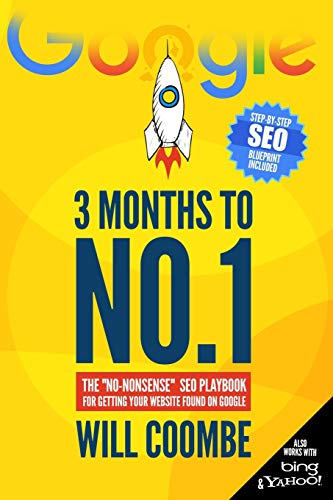
3 Months to No.1: The "No-Nonsense" SEO Playbook for Getting Your Website Found on Google
Best for optimizing your site's search visibility
$13.97
Check price on AmazonPrices as of Oct 11, 2026, 4:44 AM UTC. Product prices and availability are accurate as of the date/time indicated and are subject to change. Any price and availability information displayed on Amazon.com at the time of purchase will apply to the purchase of this product.
Recommended Tools
Other great tools to complement your image workflow.
Other Free Converters
Free Image Tools
See every utility on the free tools hub.