Convert GIF to MP4 in Seconds
Turn any GIF into a small, sharp H.264 video for Instagram, TikTok, X or a chat — loop it to a minimum length, pick the background, change the speed. Made on your device; nothing is uploaded.
Updated September 2026 · Free · Works entirely in your browser
Why an MP4 beats a GIF almost everywhere
GIF stores every frame as a separate 256-colour picture with simple compression, so a few seconds of animation easily runs to several megabytes. H.264 video only stores what changes between frames and keeps full colour, so the same clip as an MP4 is usually much smaller and looks better. Social platforms know this: most convert uploaded GIFs to video anyway, and several only accept video for animated posts.
How this converter works
The GIF is decoded frame by frame in your browser and each frame is rebuilt exactly as a GIF player would draw it — including frames that only update part of the picture. Those frames go to your browser's built-in H.264 encoder (WebCodecs), with each frame keeping its original on-screen time, and the result is packed into a standard MP4. Because encoding is not tied to playback, a 10-second GIF converts in well under 10 seconds. Browsers without an H.264 encoder fall back to recording the animation in real time.
Settings that matter
- Length. Instagram and some other apps reject very short videos. Looping to at least 3 seconds repeats the animation inside the file.
- Speed. Slow a fast reaction GIF down or speed up a long one; timing between frames stays proportional.
- Max size. 1080 px suits every social app. Pick 720 px for the smallest file.
- Background. Transparent GIF pixels have to become a colour in video. Match it to where the video will be shown.
GIF, WebP or MP4?
Use MP4 for posting and sharing, GIF where a file must play inline in old software or email, and WebP for websites. Need a GIF from a WebP sticker instead? Use the WebP to GIF converter. For still images from a website, the WebP to JPG converter handles batches, and the social media image size guide lists the dimensions each platform expects.
Gear we recommend for this workflow
As an Amazon Associate we earn from qualifying purchases. Affiliate disclosure.

MAYBESTA Wireless Mini Microphone for iPhone, Android Phone - 2 Pack Lavalier Lapel Mic for Audio Video Recording - Clip on Content Creator Microphones for YouTube Tiktok Podcast Vlogging
Best for clear voiceovers and streaming
$24.99
Check price on Amazon
Logitech Brio Ultra 4K HD Webcam for Streaming and Meetings - Black
Best for high-quality video calls and streaming
$169.99
Check price on Amazon
UBeesize 14'' LED Foldable Ring Light with 62'' Tripod Stand, Selfie Ring Light for Video Recording, Live Streaming, TikTok & YouTube, Compatible with iPhone & Android (Black)
Best for even, flattering lighting
$34.77
Check price on Amazon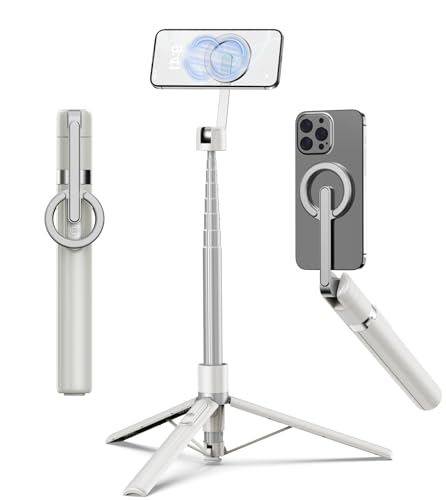
TONEOF 68" Magnetic Aluminum Phone Tripod Selfie Stick for iPhone & Android
Best for stable iPhone photos and video
$29.99
Check price on AmazonPrices as of Sep 28, 2026, 2:21 AM UTC. Product prices and availability are accurate as of the date/time indicated and are subject to change. Any price and availability information displayed on Amazon.com at the time of purchase will apply to the purchase of this product.
Frequently Asked Questions
Everything you need to know about image conversion.