Split an Image into a Grid
Cut one picture into 2, 3, 6, 9 or up to 400 pieces — Instagram profile grids numbered in posting order, seamless carousel panoramas, or poster tiles for printing. Private: it all happens in your browser.
Updated September 2026 · Free · Works entirely in your browser
Three reasons people split an image
1. An Instagram profile grid
One big picture spread across 3, 6 or 9 posts so it reads as a single image on your profile. The catch is order: Instagram puts your newest post at the top left, so the bottom-right piece has to go up first. With "Instagram posting order" the files are numbered the way you post them — post-01 first, post-09 last — and each name also carries its row and column in case you need to check. Instagram's profile grid now crops thumbnails to 3:4, so the 3:4 tile shape makes the pieces line up; pick Square for the older look.
2. A seamless carousel
A panorama cut into side-by-side slides, so swiping through the carousel feels like panning across one scene. Carousel slides can be up to 4:5 (portrait), which gives each slide the most screen space; the tool trims the top and bottom of the panorama to make the slides exactly that shape.
3. Printing a poster on ordinary paper
Split a large image into, say, 3 × 4 tiles, print each tile on its own sheet at the same scale and tape them together. Keep the shape as "Keep picture's shape" so nothing is trimmed, and save as PNG so there is no compression on the printed pieces. Check the resolution first with the DPI and print size calculator: every tile needs enough pixels for the sheet it is printed on.
Tips for a grid that looks good
- Keep faces and text away from the cut lines — they are where the eye notices a seam.
- Start from the largest original you have: a 3 × 3 grid gives each tile a third of the width.
- Post the whole set in one sitting, otherwise the grid is broken until the last piece is up.
Want the opposite — several pictures joined into one? Use merge images. To fit a single photo into Instagram's shapes without cropping, use the Instagram resizer.
Gear we recommend for this workflow
As an Amazon Associate we earn from qualifying purchases. Affiliate disclosure.

UBeesize 14'' LED Foldable Ring Light with 62'' Tripod Stand, Selfie Ring Light for Video Recording, Live Streaming, TikTok & YouTube, Compatible with iPhone & Android (Black)
Best for even, flattering lighting
$34.77
Check price on Amazon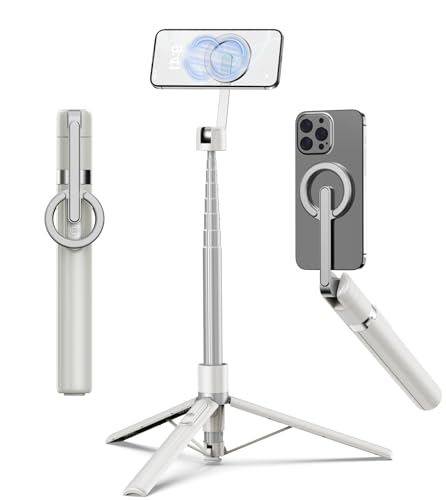
TONEOF 68" Magnetic Aluminum Phone Tripod Selfie Stick for iPhone & Android
Best for stable iPhone photos and video
$29.99
Check price on Amazon
Xenvo Pro Lens Kit for iPhone and Android, Macro and Wide Angle Lens with LED Light and Travel Case Black
Best for detailed close-up shots on iPhone
$25.99
Check price on Amazon
MAYBESTA Wireless Mini Microphone for iPhone, Android Phone - 2 Pack Lavalier Lapel Mic for Audio Video Recording - Clip on Content Creator Microphones for YouTube Tiktok Podcast Vlogging
Best for clear voiceovers and streaming
$24.99
Check price on AmazonPrices as of Sep 28, 2026, 2:21 AM UTC. Product prices and availability are accurate as of the date/time indicated and are subject to change. Any price and availability information displayed on Amazon.com at the time of purchase will apply to the purchase of this product.
Frequently Asked Questions
Everything you need to know about image conversion.