How to Convert HEIC to JPG on iPhone, Mac and Windows
If you've ever tried to share an iPhone photo and encountered a "format not supported" error, you've likely run into the HEIC format. It's a common frustration — you take a great photo, try to upload it to a website or send it to a Windows user, and it simply won't work. Here's everything you need to know about HEIC and how to convert it to the universally compatible JPG format.
Pick the device you are holding. On an iPhone or iPad: open the HEIC to JPG converter in Safari, tap Browse, choose the photos, convert, and they save back to your camera roll. On Windows: the same converter works in Edge or Chrome without the paid HEIF codec from the Microsoft Store. On a Mac: Preview can export to JPEG, or use the converter for a whole batch at once. On Android: use the converter in Chrome. In every case the photo is decoded by your own browser and never uploaded.
What is HEIC?
HEIC (High Efficiency Image Container) is Apple's default photo format since iOS 11 (2017). It's a container format based on the HEIF (High Efficiency Image Format) standard, using H.265/HEVC compression for the actual image data.
The technical name is HEIF, but Apple uses the .HEIC file extension, which is why most people refer to it as "HEIC." The format was developed by the MPEG group and offers significant advantages over the 30-year-old JPEG standard.
Why Does Apple Use HEIC?
Apple adopted HEIC for several compelling technical reasons:
| Feature | HEIC | JPEG |
|---|---|---|
| File size (same quality) | ~50% smaller | Baseline |
| Color depth | 10-bit / 16-bit | 8-bit |
| Transparency | ✅ Supported | ❌ Not supported |
| Multiple images | ✅ Burst, Live Photos | ❌ Single image only |
| Depth maps | ✅ Portrait mode data | ❌ Not supported |
| Non-destructive edits | ✅ Stored in container | ❌ Requires separate file |
The 50% file size reduction is the primary motivation. A 64GB iPhone can store roughly twice as many photos in HEIC compared to JPEG. With iPhone cameras shooting 48MP images, this space saving is increasingly important.
The Compatibility Problem
Despite its technical superiority, HEIC has a major practical limitation: poor compatibility outside the Apple ecosystem.
- Windows: Requires installing the "HEIF Image Extensions" from the Microsoft Store (free) and "HEVC Video Extensions" (paid — Microsoft sets the price). Without these, Windows can't even display HEIC thumbnails
- Web browsers: No major browser supports displaying HEIC images natively
- Social media: Most platforms don't accept HEIC uploads (they convert silently or reject)
- Email: Recipients on non-Apple devices often can't open HEIC attachments
- Photo printing services: Most require JPEG or TIFF
- Older Macs: macOS High Sierra (10.13) or later required
- WordPress and CMS: Most don't support HEIC uploads without plugins
- Android: Support varies by manufacturer; many older devices can't display HEIC
How to Convert HEIC to JPG (3 Easy Steps)
- Upload: Visit our free HEIC to JPG converter and drag your HEIC files into the upload zone. You can select multiple files for batch conversion
- Adjust settings: Set your preferred quality (85% recommended for the best balance of size and quality)
- Download: Click convert and download your JPG files instantly — or download all as a ZIP
Privacy note: Our converter processes everything in your browser using JavaScript. Your photos are never uploaded to any server. This is especially important for personal photos that may contain GPS location data in their metadata.
Alternative Conversion Methods
On iPhone (Built-in)
Apple automatically converts HEIC to JPEG when sharing via AirDrop to non-Apple devices, email, or Messages (to non-iMessage recipients). However, this doesn't help when transferring via USB cable or cloud storage.
On Mac (Preview)
- Open the HEIC file in Preview
- Go to File → Export
- Select JPEG as the format
- Choose quality and save
This works but is tedious for multiple files. Our web converter handles batch conversion much more efficiently.
On Windows
After installing the HEIF extensions, you can open HEIC files in the Photos app and use "Save As" to export as JPEG. Again, this is one-at-a-time and slow for large collections.
Quality Settings Guide
| Quality | Best For | Typical File Size |
|---|---|---|
| 95-100% | Archiving, professional printing | 2-5 MB per photo |
| 85-90% | General sharing, social media | 500 KB - 1.5 MB |
| 75-80% | Web use, email attachments | 200-500 KB |
| 60-70% | Thumbnails, quick previews | 50-200 KB |
Our recommendation: 85% quality gives you virtually indistinguishable results from the original while producing files that are easy to share everywhere. Learn more in our image size reduction guide.
Prevent HEIC on iPhone
If you'd rather not deal with HEIC at all, you can configure your iPhone to shoot in JPEG:
- Open Settings
- Tap Camera
- Tap Formats
- Select Most Compatible
Trade-offs to consider:
- Photos will use approximately twice the storage space
- You lose 10-bit color depth (JPEG is limited to 8-bit)
- Portrait mode depth data is stored less efficiently
- Live Photos continue to use HEVC video regardless of this setting
For most users, we recommend keeping HEIC enabled and converting when needed — you get the storage benefits of HEIC while still being able to share in JPEG anytime.
HEIC vs Other Formats
Wondering how HEIC compares to other modern formats?
- HEIC vs WebP: Similar compression efficiency, but WebP has far better cross-platform support
- HEIC vs AVIF: AVIF offers slightly better compression and is gaining browser support faster
- HEIC vs PNG: HEIC is dramatically smaller for photos; PNG is better for graphics
Frequently Asked Questions
How do I convert HEIC to JPG on an iPhone?
The quickest route needs nothing installed: open the converter in Safari, tap Browse, choose the photos from your library, and tap convert. The JPGs save straight back to the phone. You can also stop it happening again in Settings > Camera > Formats > Most Compatible, which makes the camera shoot JPG from then on.
How do I open HEIC files on Windows?
Windows 11 and 10 need the HEIF Image Extensions from the Microsoft Store, and the HEVC Video Extensions alongside it, which Microsoft charges a small fee for. Converting the files to JPG avoids the codec entirely and is the practical answer if the photos came from someone else.
Does converting HEIC to JPG lose quality?
A little, because JPG is lossy and 8-bit while HEIC is 10-bit. At quality 90 or above the difference is not visible on any normal screen or print. What you definitely lose is the container's extras: Portrait-mode depth maps and Live Photo motion have nowhere to go in a JPG.
Will converting delete my original photos?
No. Conversion produces a new file and leaves the HEIC untouched. On an iPhone the JPG lands in your camera roll alongside the original, so you can delete whichever you do not need.
Is HEIC the same as HEIF?
Nearly. HEIF is the container format; HEIC is the name Apple uses for HEIF files whose image data is encoded with HEVC. In everyday use the two extensions behave identically, and anything that converts one converts the other.
Can I convert HEIC to PNG instead of JPG?
Yes, and it is the better choice when the image contains text or is going into an editor, because PNG is lossless. Expect the file to be several times larger than the HEIC. For ordinary photos, JPG is the sensible destination.
Gear we recommend for this workflow
As an Amazon Associate we earn from qualifying purchases. Affiliate disclosure.

Ailun Screen Protector + Camera Lens Protector for iPhone 15 Pro, 3+3 Pack
Best iPhone for photography enthusiasts
$8.88
Check price on Amazon
Xenvo Pro Lens Kit for iPhone and Android, Macro and Wide Angle Lens with LED Light and Travel Case Black
Best for detailed close-up shots on iPhone
$39.99
Check price on Amazon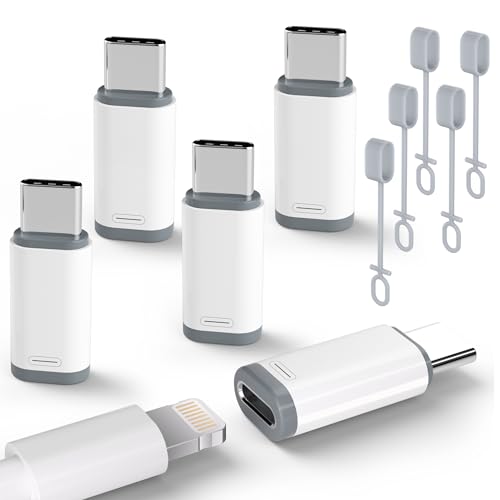
5 Pack USB C to Lightning Charge Adapter for iPhone 17 16 15, Lightning to USB C Adapter with Fast Charge Data Transfer for iPhone 17 16 15 Pro Max, Galaxy S24 S23, Pixel 8 7, iPad Pro, MacBook Pro
Best for newer iPhones needing legacy connections
$6.99
Check price on Amazon
SD Card Reader for iPhone, iPad, Memory SD Card Reader USB C&Lightning Port
Best for importing camera photos to iPhone
$6.99
Check price on AmazonPrices as of Oct 11, 2026, 4:44 AM UTC. Product prices and availability are accurate as of the date/time indicated and are subject to change. Any price and availability information displayed on Amazon.com at the time of purchase will apply to the purchase of this product.
Image Optimization Tips
Get weekly tips on image formats, compression, and web performance.
No spam, unsubscribe anytime. We respect your privacy.