HEIC to JPG on iPhone: Every Setting That Controls It
There are four separate iPhone settings that decide whether your photos arrive as HEIC or JPG. Change the right one and the problem never comes back.
Setting 1 — Stop the camera creating HEIC at all
- Open Settings.
- Tap Camera.
- Tap Formats.
- Choose Most Compatible.
From this moment every new photo is saved as JPG. Photos you already took stay HEIC — this setting is not retroactive. Note the trade-off: JPG files are roughly twice the size, and Most Compatible also caps some high-frame-rate video modes.
Setting 2 — Convert automatically when transferring to a computer
- Open Settings → Photos.
- Scroll to Transfer to Mac or PC.
- Choose Automatic.
With Automatic selected, photos are converted to JPG as they copy across a cable. Choosing Keep Originals sends the raw HEIC and is the single most common reason people end up with files Windows will not open.
Setting 3 — Control what happens when you share
In the share sheet, tap Options at the very top. Switching All Photos Data off sends a compatible copy in most apps. AirDropping to a Mac keeps HEIC; emailing or messaging usually converts. This is per-share, so it is a fix rather than a cure.
Setting 4 — Live Photos
A Live Photo is a HEIC still plus a short video. Some apps grab the wrong half and produce something unusable. Turn Live off in the Camera app (the concentric-circles icon), or edit an existing one and choose Duplicate as Still Photo before sharing.
Converting the photos you already have
On the iPhone itself, no app needed
- Open the HEIC to JPG converter in Safari or Chrome.
- Tap the upload area and pick as many photos as you like from your library.
- Tap convert, then save the JPGs back to your camera roll or Files.
The conversion runs inside the browser on your own phone, so nothing is uploaded to a server and there is no app to install or subscribe to.
The Files app trick
Copy photos into the Files app, then use Quick Actions → Convert Image on the selection. It works, but it is fiddly with large batches and gives you no control over quality.
On a Mac
Select the photos in Finder, right-click, choose Quick Actions → Convert Image, pick JPEG and a size. Preview can also export a single file with File → Export.
On Windows
Windows 11 opens HEIC after installing Microsoft's HEIF extension, but older builds and most editors still refuse. Converting in the browser avoids the whole extension question.
Which route should you pick?
| Situation | Best fix |
|---|---|
| Problem keeps recurring | Settings → Camera → Formats → Most Compatible |
| Hundreds of old photos | Browser converter, in batches |
| Copying to a PC by cable | Settings → Photos → Transfer → Automatic |
| One photo, right now | Share sheet → Options |
| Storage matters more than compatibility | Keep HEIC, convert only what you send |
Should you keep HEIC at all?
HEIC stores the same picture in roughly half the space of JPG and supports depth data and wider colour. If your photos mostly stay inside Apple's ecosystem, keeping HEIC and converting only the ones you send out is the smarter setup. If you constantly email, print or upload photos, switch the camera to Most Compatible and stop thinking about it.
More background in how to convert HEIC photos and converting iPhone photos to JPG. If a form also caps file size, finish with the compress to exact KB tool.
Gear we recommend for this workflow
As an Amazon Associate we earn from qualifying purchases. Affiliate disclosure.

Ailun Screen Protector + Camera Lens Protector for iPhone 15 Pro, 3+3 Pack | 6.1 inch, Tempered Glass, Installation Frame, Case Friendly, HD
Best iPhone for photography enthusiasts
$8.88
Check price on Amazon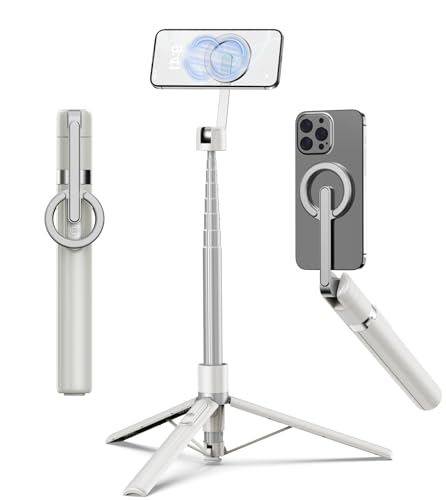
TONEOF 68" Magnetic Aluminum Phone Tripod Selfie Stick for iPhone & Android | Rechargeable Remote,360° Rotatable Foldable Cell Phone Stand Holder with Metal Ring,Travel Tripod for Magsafe (Beige Gray)
Best for stable iPhone photos and video
$23.99
Check price on Amazon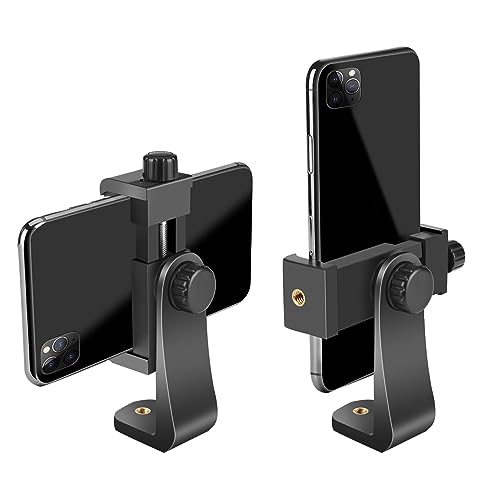
Smartphone Holder/Vertical and Horizontal Tripod Mount Adapter | Premium Rotatable Bracket, 1/4 in Screw, Adjustable Clip for iPhone, Android Cell Phone, Selfie Stick, Camera Stand
Best universal mount for phone tripods
$6.99
Check price on Amazon
Samsung T7 Shield Portable SSD 1TB, USB 3.2 Gen 2, Up to 1,050 MB/s | Rugged, IP65 Water Resistant, External Solid State Drive for Photographers, Content Creators and Gaming (MU-PE1T0S/AM), Black
Best for photographers backing up thousands of RAW files
$267.00
Check price on AmazonPrices as of Oct 22, 2026, 4:41 AM UTC. Product prices and availability are accurate as of the date/time indicated and are subject to change. Any price and availability information displayed on Amazon.com at the time of purchase will apply to the purchase of this product.
Image Optimization Tips
Get weekly tips on image formats, compression, and web performance.
No spam, unsubscribe anytime. We respect your privacy.